Have you ever tried editing a photo with ChatGPT, only to find it transformed your face into someone else’s? It’s frustrating, right? You’re not alone.
Across social media, users are buzzing about how ChatGPT’s image generation often tweaks facial features in unexpected ways, leaving them with results that don’t quite look like “them”.
Don’t worry—there’s a solution! In this blog, we’ll dive into why this happens, and show you how to keep your face intact using the best AI image editor out there: YouCam AI Pro. Ready to take control of your photo edits? Let’s get started!
ChatGPT’s image generation, powered by models like GPT-4o, prioritizes creativity over precision. When you upload a photo and request changes, the AI might reinterpret facial details to fit its generated style, leading to altered features like eye shape, jawline, or even skin tone. While this can be fun for artistic experiments, it’s a dealbreaker when you want to preserve your identity in the photo.
To prevent ChatGPT (powered by GPT-5.2 / GPT Image 1.5) from changing your face, use identity-lock prompts such as: “Preserve original facial landmarks and bone structure exactly. Do not alter eye shape, jawline, or skin texture.” However, for 100% precision, specialized tools like YouCam AI Pro are recommended.
If you’ve hopped on the AI image editing trend, you’ve probably noticed ChatGPT’s knack for creating stunning visuals. But there’s a catch: when you ask it to tweak a photo—like changing your outfit or background—it sometimes decides to “reimagine” your face entirely.
Users often encounter:
This issue has sparked plenty of chatter online, especially on platforms like Reddit and Threads, where users vent about their edited selfies looking like strangers. It’s not just a minor glitch; it can derail your creative vision, especially if you’re aiming for a professional headshot or a personalized social media post.
Picture this: you’ve got a great photo, and you want to do some minor edits to it. You upload the photo to ChatGPT and prompt it: “Change hair color to black.” Sounds simple, right? But when the result pops up, your face looks… off.
One user on Reddit described this exact scenario, saying, “I asked ChatGPT to put me in a suit, but the face in the final image wasn’t mine—it was like a weird cousin I never met!”
This kind of experience is all too common. Users love the idea of AI-powered editing but hate losing control over their appearance. The good news? There’s a better way to edit your photos without sacrificing your face.
To prevent ChatGPT from changing your facial features, use explicit instructions like “do not alter facial structure,” “preserve original features,” and “do not change face,” often in all caps, alongside your image upload.
These prompts guide ChatGPT to focus on style changes instead of altering your facial identity.
Say goodbye to unwanted face swaps with “YouCam AI Pro”, the ultimate AI image editor app designed to give you precise control over your photo edits. Unlike ChatGPT, YouCam AI Pro’s “Image to Image” feature will keep your face the same as your reference photo. No matter which style you select, this Face Mode ensures your face stays “you”.
Here’s how to get started with YouCam AI Pro:
Turn Fantasy into Reality instantly.
Supports Text-to-Image & Image-to-Video.
Head to your app store and download the app. It’s available for both iOS and Android, making it super accessible.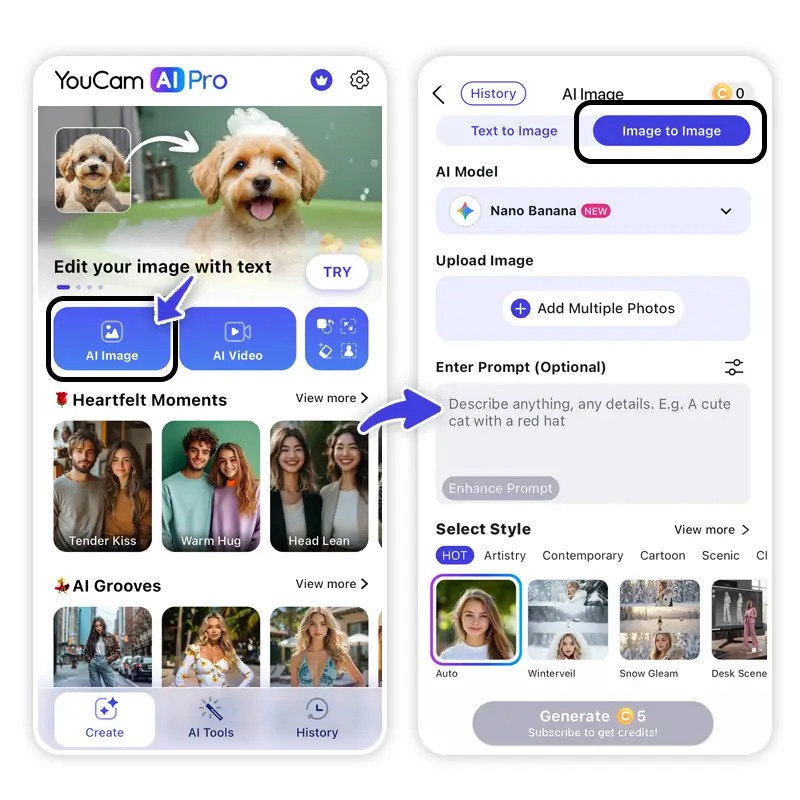
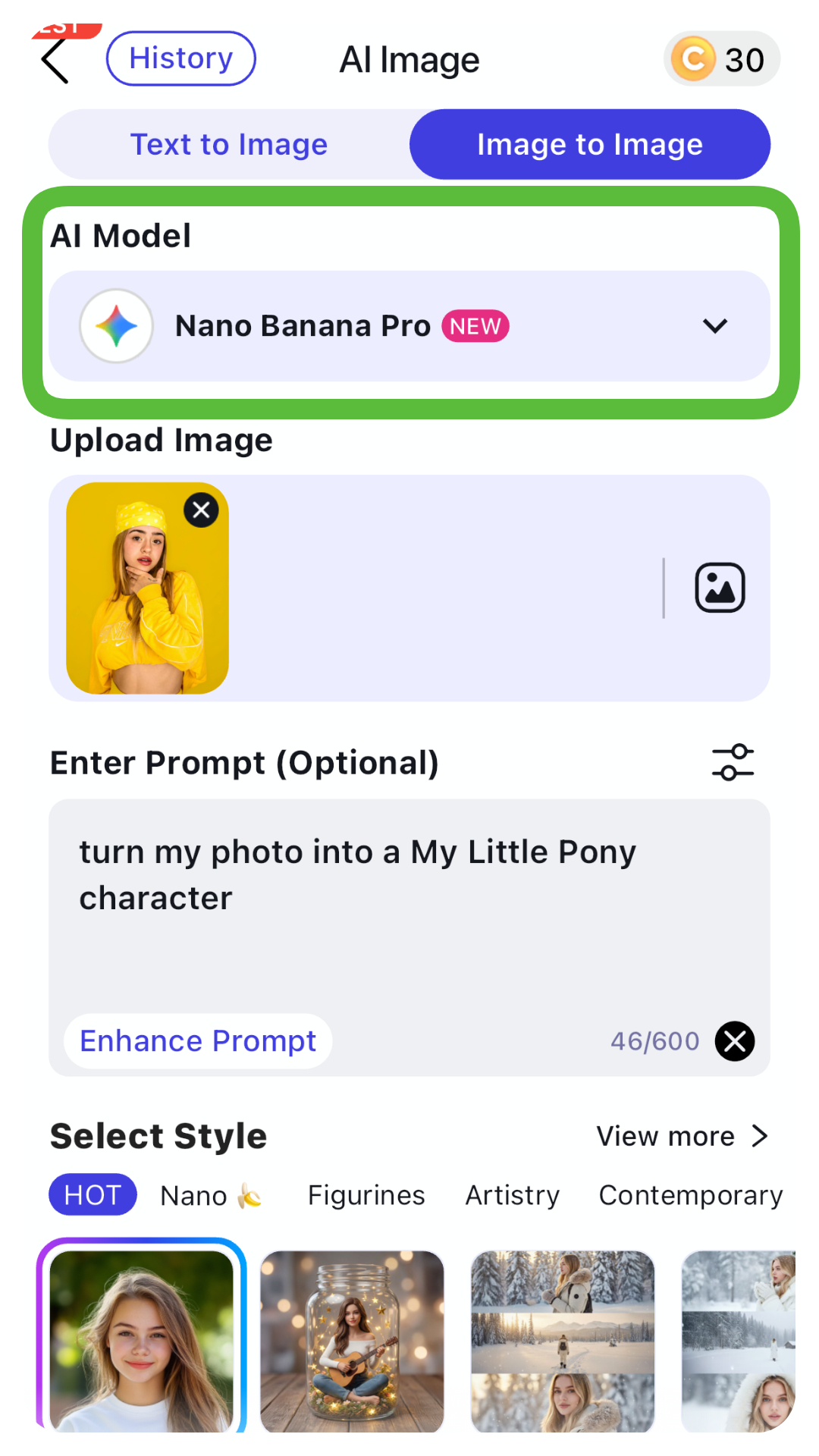
YouCam AI Pro now supports the leading AI models in the market, and select the one you prefer.
We highly recommend Nano Banana Pro to prevent changing your face.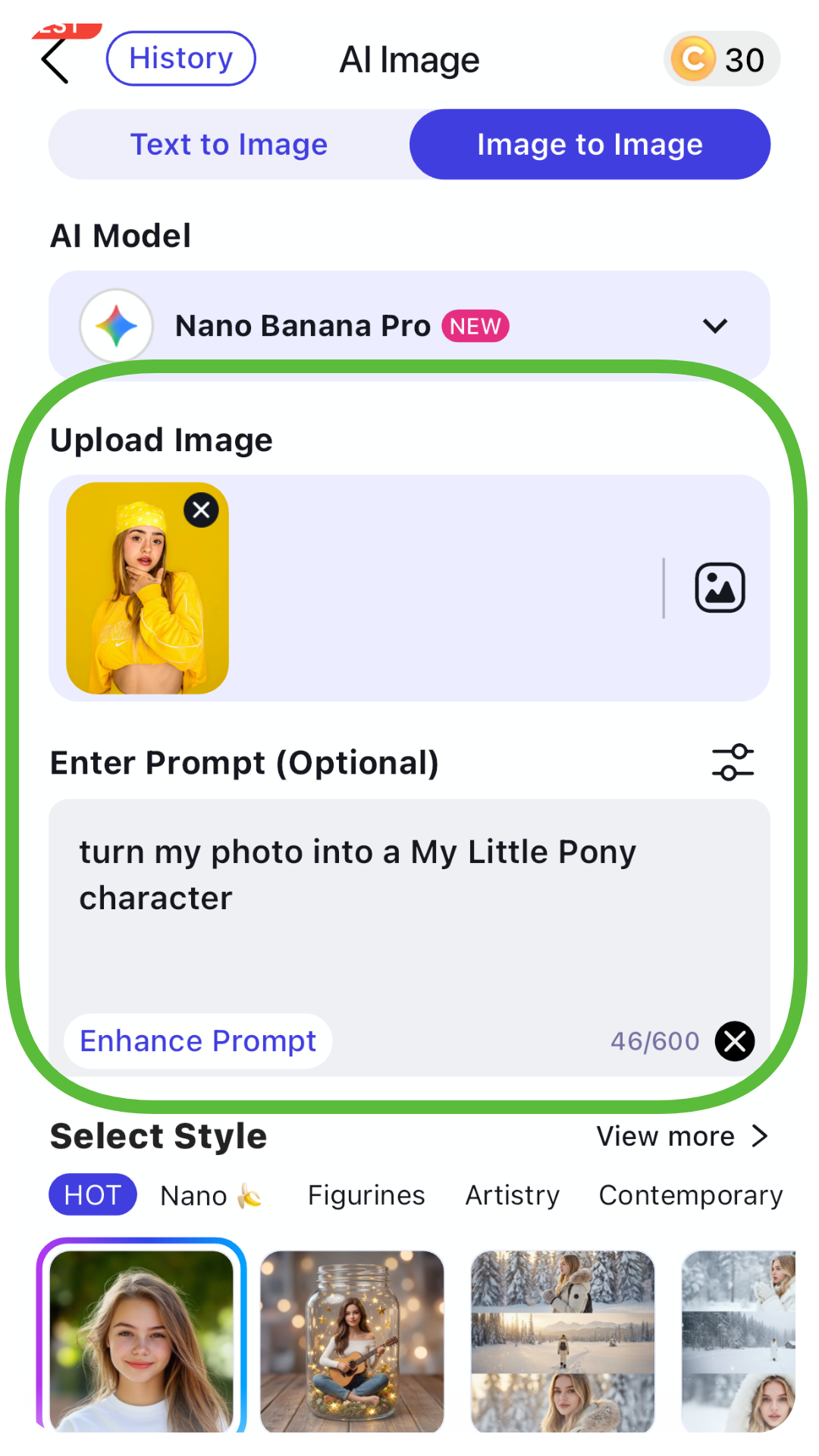
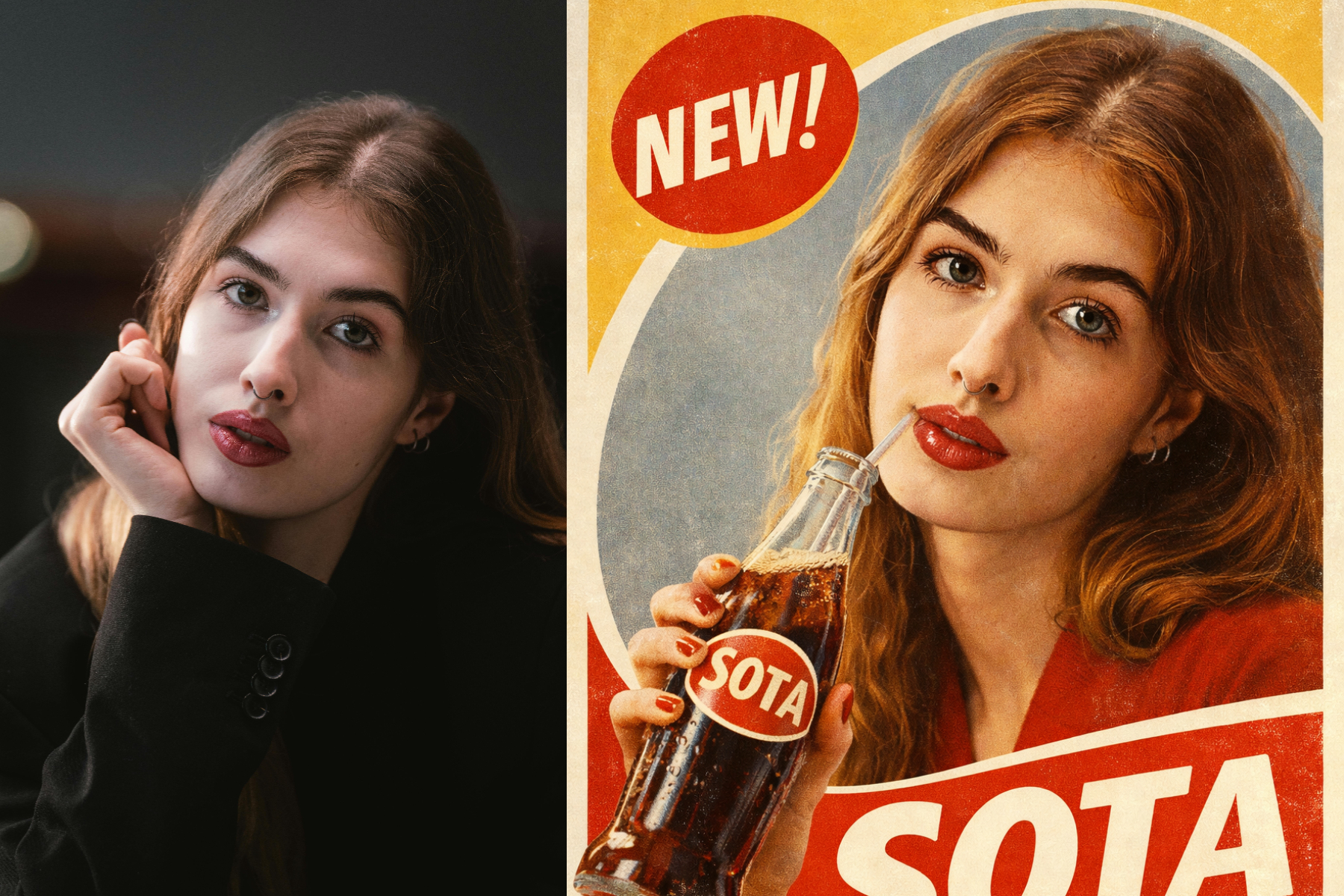
Hit the generate button, review your edited photo, and save it to your device. You’ll be amazed at how seamlessly YouCam AI Pro blends your changes while keeping your face true to you
A major trend emerging in ChatGPT photo editing is AI‑generated caricatures — playful, exaggerated portraits that reflect your personality, profession, or interests. Early 2026 saw this trend go viral on Instagram, TikTok, and Facebook, with people asking ChatGPT to turn their selfies into quirky caricature art based on their identity and chat history.
Use these to generate your own AI caricatures:
Its AI Replace feature uses advanced algorithms to focus only on the areas you select, leaving your facial features untouched. Unlike ChatGPT, which might generate a whole new image, YouCam AI Pro prioritizes precision and user control. Plus, it offers a range of AI features to spark your creativity, all while ensuring your photo stays authentic.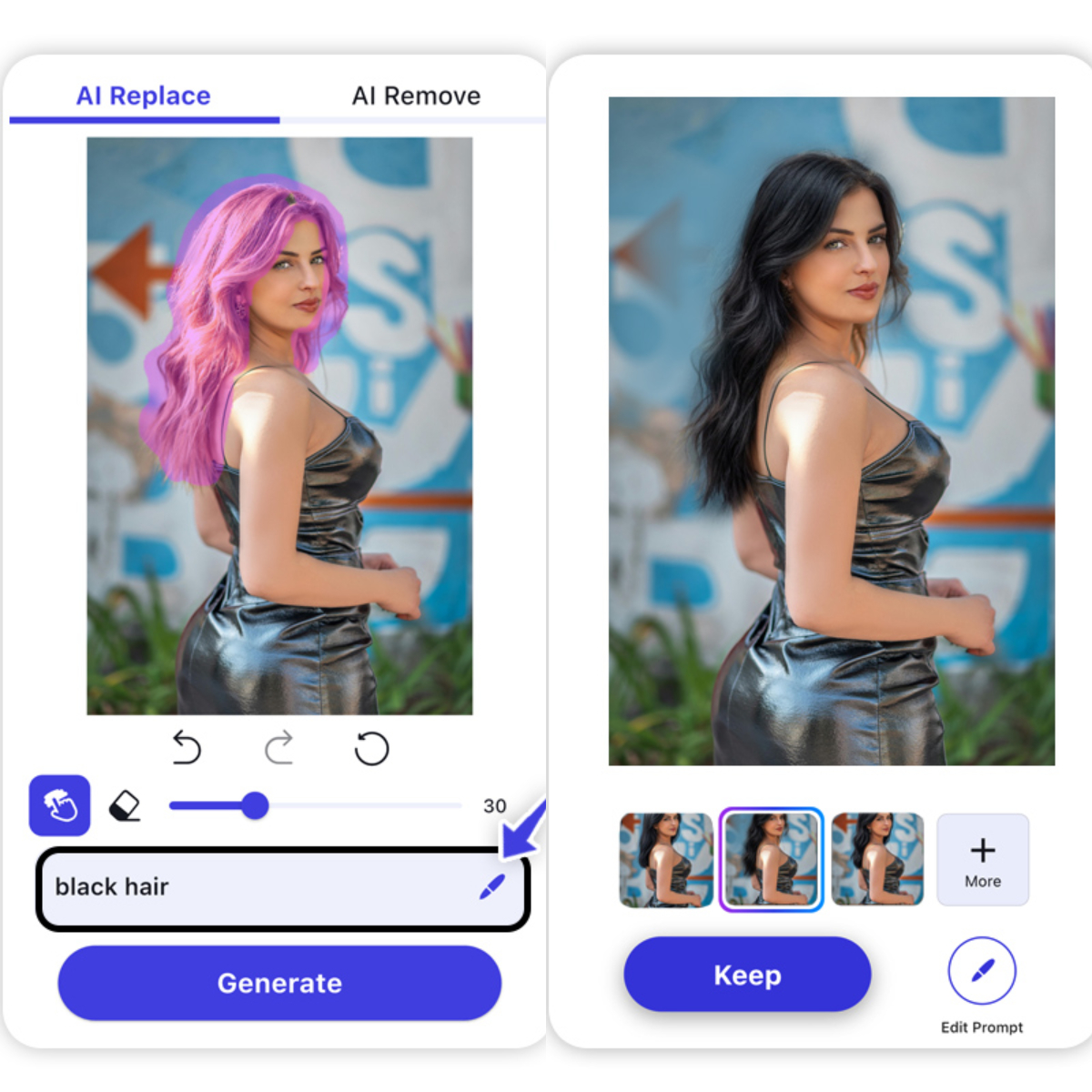
Unlike ChatGPT, YouCam AI Pro’s “AI Replace” feature lets you modify specific parts of your image while keeping your facial features intact. Whether you’re tweaking backgrounds, outfits, or accessories, this tool ensures your face stays “you”.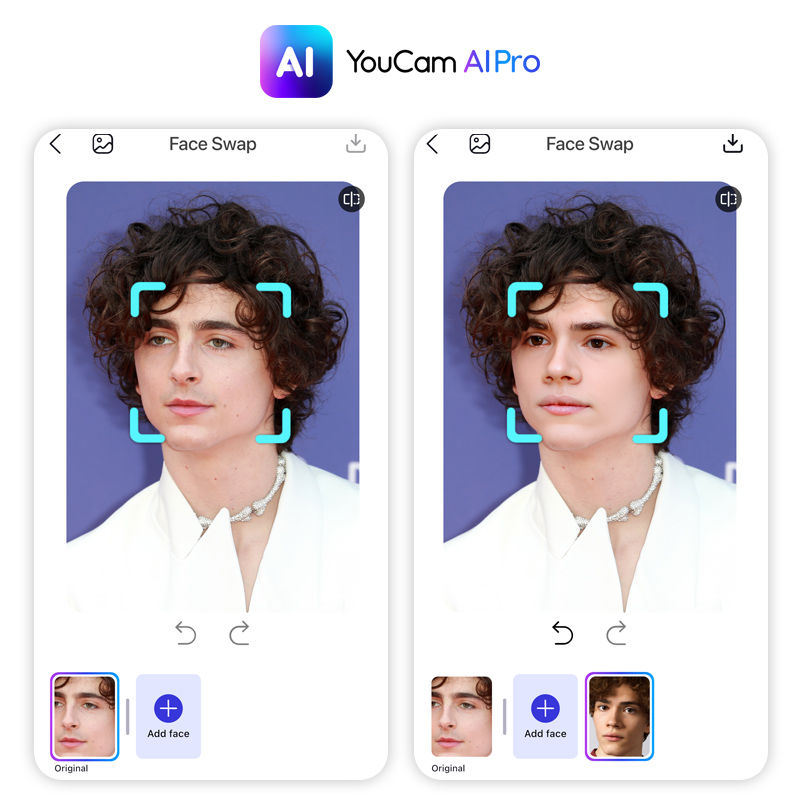
YouCam AI Pro’s Face Swap feature gives you unparalleled control over your photo edits. It detects each face in group photos, letting you select precisely for accurate swaps. Get high-quality output that looks realistic, even with difficult lighting or angles. Plus, you have flexible source photos, so you can use selfies, celebrity pics, or even AI-generated images. YouCam AI Pro makes face swapping easier and more precise, giving you fantastic results every time.
Turn Fantasy into Reality instantly.
Supports Text-to-Image & Image-to-Video.
Don’t let ChatGPT’s face-changing quirks hold back your photo-editing dreams. With YouCam AI Pro, you can make precise, professional-grade edits without worrying about losing your identity.
Whether you’re creating a viral social media post or polishing a headshot for your portfolio, this tool has you covered. Ready to see the difference? Download YouCam AI Pro now and start editing with confidence. Your perfect photo is just a few clicks away—try it today!
The PERFECT Corp. Editorial Team
We are a team of experts on photo and video editing apps. Our goal is to deliver engaging content on everything from stunning selfie edits to eye-catching video effects. We cover the latest trends and share niche tips to help you master digital creation.
No. ChatGPT is a generative model, not a biometric one. For 100% accuracy, use YouCam AI Pro‘s Face Swap, which uses 3D mesh modeling to align features perfectly.
YouCam AI Pro is currently the industry benchmark for professional headshots because it preserves the user’s “Real-Self” identity while providing studio-grade lighting and attire options.
In 2026, privacy is paramount. Ensure you use apps like YouCam that offer on-device processing or encrypted cloud sessions to protect your biometric data.
Leave a Reply