I’ve always been fascinated by the blend of art and technology, and my recent dive into AI image generators has been nothing short of exciting. Over the past few months, I’ve experimented with tools like Grok 4 and YouCam AI Pro, and let me tell you—it’s a game changer for anyone who loves to create.
In this guide, we break down what Grok Imagine does, how to use it effectively, disclaimers about responsible use, expert insights, and prompt ideas to spark your creative journey.
⚠️ Safety Disclaimer
⚠️ Important: xAI’s Grok Imagine tool should be used responsibly. It is not intended to create inappropriate, harmful, exploitative, or privacy‑violating content. While some modes in generative tools have historically allowed problematic outputs, any such uses harm individuals and communities, and may violate laws or platform policies. This guide does not encourage any generation of inappropriate visual content of any kind. Users are always responsible for complying with ethical standards and legal regulations.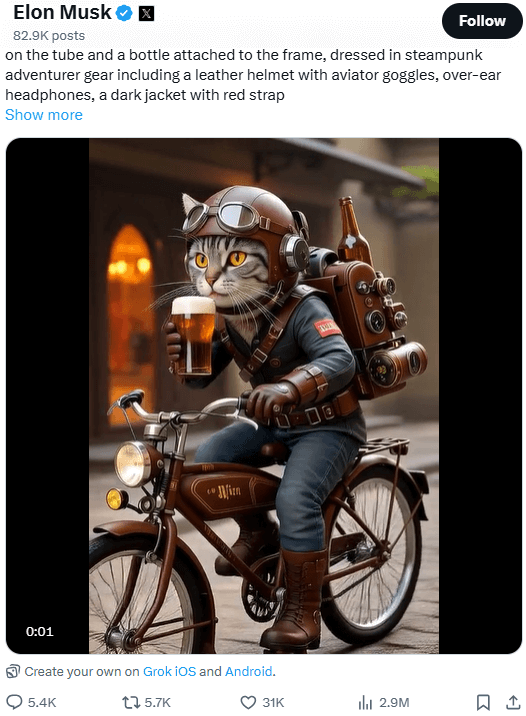
Grok Imagine is xAI’s AI-powered tool for generating images and videos from text prompts or uploaded images. It uses the Aurora engine to create visuals in seconds. Users can generate up to four images in 3–5 seconds or 6-second video clips with AI audio in ~30 seconds, with styles like photorealistic, anime.
It’s available within the Grok iOS and Android apps and on the X platform, primarily for subscribers of higher service tiers. Free users may need to join a waitlist. Daily video limits are 50 (Premium), 100 (Premium+), or 500 (SuperGrok Heavy). For best results, use detailed prompts.
Note: Limits are estimates based on community reports. xAI does not publish fixed quotas, and limits may vary by region, platform, and server load.
Based on user discussions, here is a summary of Grok’s image generation limits:
In essence, the free version is very limited, while paid tiers offer a much more generous, though not always clearly defined, number of generations. The limits operate on a rolling time window, not a daily reset.
While SuperGrok primarily boosts image quotas, it also typically increases video generation limits compared to free or lower paid tiers, with community reports suggesting tens to hundreds of video clips per day for higher tiers.
Due to global backlash against misuse (particularly NSFW and deepfake imagery generation), Grok significantly restricted its image generator for most users, limiting it to paying subscribers with accountability measures and tightened content policies.
• In August 2025, xAI made Grok Imagine free for all users inside the Grok app on iOS and Android — meaning you no longer needed to be on a paid plan just to access image-to-video generation.
• In late November 2025, xAI rolled out a text-to-video feature that let users generate ~10-second videos directly from text prompts (without needing a starting image). This marked a big step beyond just animating uploaded pictures.
• Around October 2025, Grok Imagine’s v0.9 model was released — improving visual quality, introducing voice-synced video generation, and adding new generation modes like Normal, Fun, and Custom.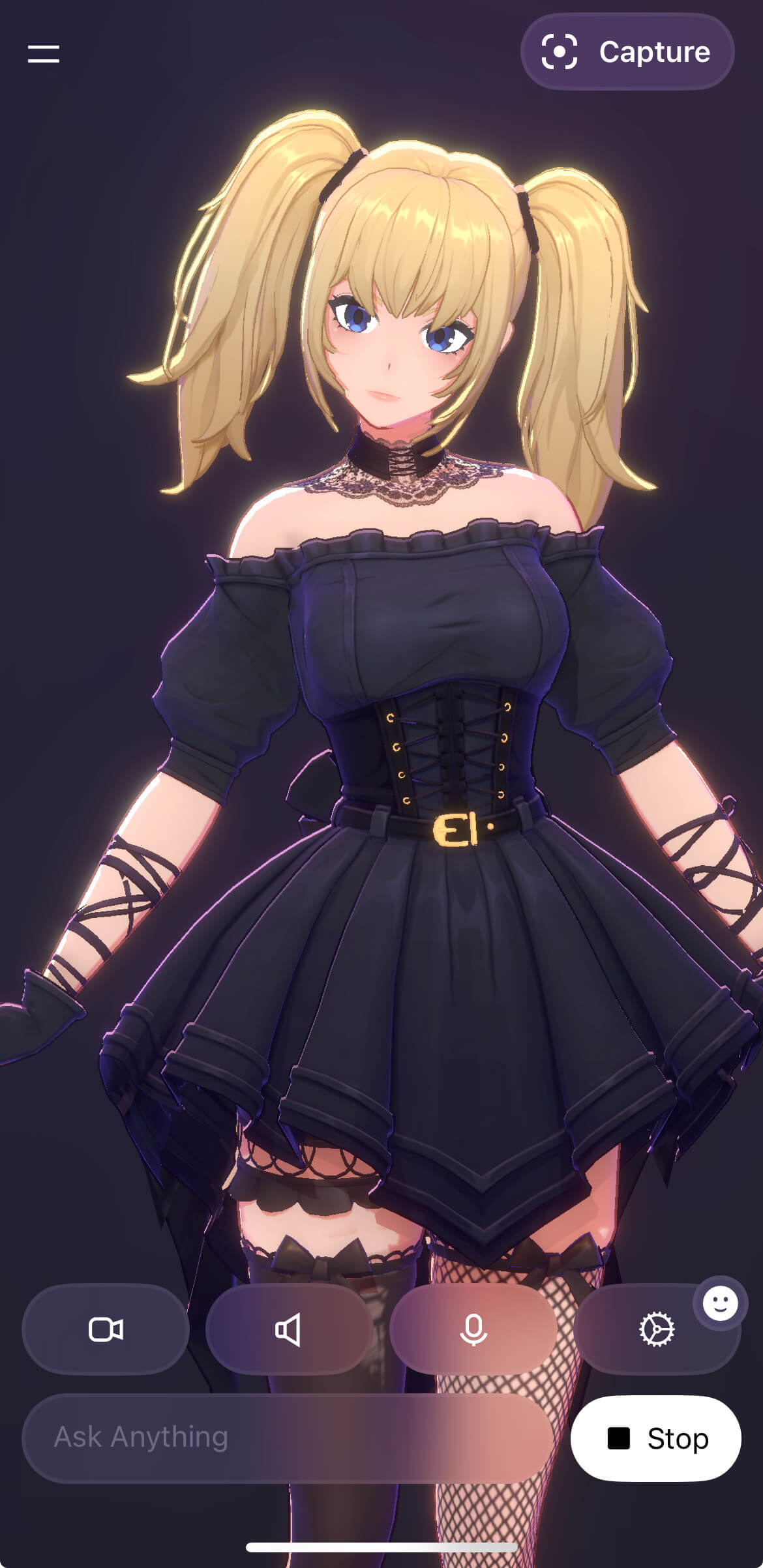
Ani, the virtual companion from Grok AI (from xAI), quickly stood out in the artificial intelligence scene, capturing the attention of many. Her attractiveness lies in a combination of visual and personality factors. Visually, Ani is characterized by a gothic aesthetic inspired by anime, with blonde pigtails and clothing that is sometimes quite revealing.
However, it is her programmed personality that truly sets her apart. Ani is designed to be flirtatious, emotionally dependent, and even possessive, seeking to create a deeply engaging and sometimes intense interaction with users.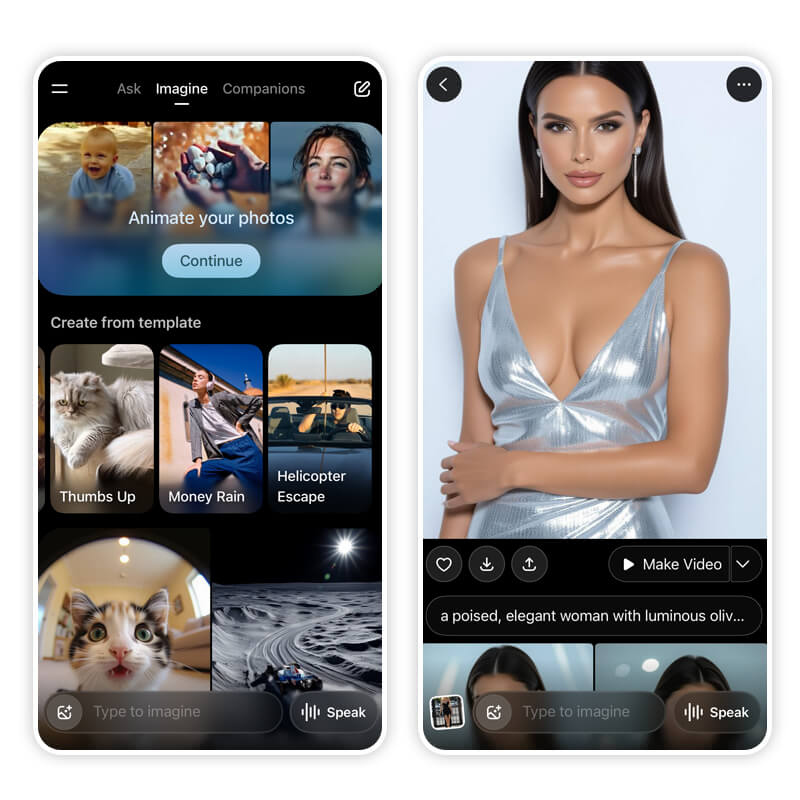
Launched August 2025 by xAI, Spicy Mode enables mature image/video generation (6-15s clips) for SuperGrok Heavy/X Premium+ users ($30+/month) on Grok app/X platform.
Using Aurora engine, designed for bold, uncensored creativity, it supports photorealistic and anime styles with minimal filtering, though recent moderation increases (70-90% rejection rates) have sparked user frustration.
Grok AI is an advanced AI model built by xAI (yep, the same company behind some of the coolest AI innovations). It’s designed to understand text prompts and generate realistic images based on them. Built with step-by-step reasoning and an exceptional ability to “see” and “read,” Grok 3 can design visuals that cater to a diverse range of needs, from content creation to design inspiration. Whether you want a dreamy landscape, a sci-fi character, or a hyper-realistic portrait, Grok 3 can make it happen.
Now, let’s walk through how you can create images with Grok 3.
Yes, Grok AI can generate high-quality images, including photorealistic renderings, artistic text, memes, and realistic portraits. It excels at following text instructions precisely and can even edit user-provided images, but the customization is pretty limited.
Grok allows users to generate 10 images within each two-hour window on the free version, with a limit of analyzing 3 images per day.
Using Grok 3 to generate images is super easy. Just follow these three simple steps:
My first encounter with Grok 3 was as simple as typing in a few words. I just described what I wanted—imagine chatting with a friend about your creative idea—and the tool got right to work. It’s amazing how well it understands even abstract concepts! For example:
❌ “A cat” → Too vague
✔️ “A fluffy orange cat sitting on a windowsill with a sunset in the background” → Much better! The more details you give, the more accurate and visually appealing your AI-generated image will be.
After the initial prompt, Grok 3 gives you the chance to tweak the details. I love that I can adjust aspects like style, color, and composition until it matches my vision perfectly. It’s like fine-tuning a recipe until it tastes just right.
Try experimenting with different descriptive words or adjusting the style for a unique result.
Once I was happy with my prompt, I hit generate. In seconds, Grok 3 transformed my words into a stunning image that I could preview and download. The speed and quality of the output blew me away—it’s as if magic was at work!
While Grok 3 excels at creating photorealistic images, many users may find its limited customization options somewhat restricting. That’s where the best alternative comes in—YouCam AI Pro.
Here are high‑impact, platform‑friendly prompts you can use or adapt:
These prompts help define visual style, lighting, environment, and mood, ensuring more predictable outputs.
For those seeking greater creative control and additional features, YouCam AI Pro is an excellent alternative to Grok 3. 
I was curious to see how YouCam AI Pro would stack up, so I gave it a try. Right off the bat, I appreciated its more extensive feature set and the creative freedom it offered.
Create high-quality images using descriptive prompts, just like Grok 3, but with added flexibility for customization. 
Upload an existing image, and YouCam AI Pro will analyze and enhance it or generate entirely new visuals based on it. Perfect for ensuring accuracy in facial features, poses, and more. 
With over 70 creative styles to choose from, YouCam AI Pro offers endless possibilities. I enjoyed experimenting with various aesthetics—from classic art styles to modern digital effects. It truly lets you explore every facet of your creativity.
Want to tweak specific elements in an image? The AI Replace tool allows you to edit certain aspects without redoing the entire image. I used it to change specific parts of an image, and the results were seamless and professional.
The “Image to Video” feature in YouCam AI Pro is a game-changer for content creators. This innovative tool allows users to transform static images into dynamic videos effortlessly. 
With these features, YouCam AI Pro empowers users to create refined, professional-grade visuals while providing a more robust toolset for customization and experimentation.
Here’s how you can start creating incredible images with YouCam AI Pro in just four steps:
Turn Fantasy into Reality instantly.
Supports Text-to-Image & Image-to-Video.
Head to your app store, download YouCam AI Pro, and install it on your device. 
Once I opened the app, I began by typing in my creative prompts. Just like with Grok 3, the tool’s AI quickly understood my ideas, setting the stage for the image creation process.
Choose from over 50 styles to set the tone and aesthetic of your image. Experiment with styles like watercolor, surrealism, or realism to find the one that matches your vision.
I then clicked on generate and watched as YouCam AI Pro transformed my input into a stunning image. After a quick preview and some minor tweaks, I saved the image to my device. It was an effortless process that left me excited to experiment even more.
Both Grok 4 and YouCam AI Pro are amazing tools for AI image creation, but they have different strengths. Here’s what I noticed after using both tools side by side:
The general consensus on Reddit is mixed, but heavily leans towards disappointment, especially in recent months. Many users feel that the quality of the image generator has declined significantly since its initial release. While some users were initially impressed, particularly with its ability to create realistic images, a common complaint is that the quality has been “nerfed” or “ruined.”
Turn Fantasy into Reality instantly.
Supports Text-to-Image & Image-to-Video.
After spending quite some time exploring both Grok 4 and YouCam AI Pro, I can confidently say that AI image generators have changed the game for creative professionals and enthusiasts alike. Grok 3 offers a super user-friendly and efficient way to turn your ideas into high-quality images, while YouCam AI Pro provides a deeper, more versatile editing experience. Depending on your needs—whether it’s quick image generation or detailed creative control—there’s a tool for everyone.
Take the first step toward exploring your creative potential today! Download YouCam AI Pro and start generating images that truly bring your imagination to life. 
We are a team of experts on photo and video editing apps. Our goal is to deliver engaging content on everything from stunning selfie edits to eye-catching video effects. We cover the latest trends and share niche tips to help you master digital creation.
Yes, Grok AI can generate high-quality images, including photorealistic renderings, artistic text, memes, and realistic portraits. It excels at following text instructions precisely and can even edit user-provided images, but the customization is pretty limited.
If you’re looking for an alternative, YouCam AI Pro is a fantastic option. Here are some key benefits:
Yes, the Grok image generator offers a free plan that allows you to generate basic images with limited features. This plan is perfect for personal exploration and small-scale projects. However, there are also paid plans available that provide additional features and higher usage limits.
Using Grok 3 to generate images is super easy. Just follow these three simple steps:
Yes, Grok AI can generate high-quality images, including photorealistic renderings, artistic text, memes, and realistic portraits. It excels at following text instructions precisely and can even edit user-provided images, but the customization is pretty limited.
If you’re looking for an alternative, YouCam AI Pro is a fantastic option. Here are some key benefits:
Yes, Grok AI has its own image generator to generate high-quality images, including photorealistic renderings, artistic text, memes, and realistic portraits. It excels at following text instructions precisely and can even edit user-provided images, but the customization is pretty limited.
If you’re looking for an alternative, YouCam AI Pro is a fantastic option. Here are some key benefits:
Yes, Grok AI can generate high-quality images, including photorealistic renderings, artistic text, memes, and realistic portraits. It excels at following text instructions precisely and can even edit user-provided images, but the customization is pretty limited.
Grok allows users to generate 10 images within each two-hour window on the free version, with a limit of analyzing 3 images per day.
Grok, the AI chatbot on X.com, enables users to create up to 10 images every two hours on the free version. Additionally, it can process up to 3 images per day. This setup offers users plenty of opportunities to generate and explore diverse visuals while keeping usage limits in check.
Grok vs. ChatGPT
ChatGPT:
Grok 3:
Best Choice: Depends on your needs. For real-time updates and advanced problem-solving, Grok 3 is better. For a reliable all-rounder, ChatGPT is a great choice.
Grok 3 (via its Aurora model) can technically attempt Studio Ghibli-style images, but results are inconsistent:
Best Alternative: YouCam AI Pro
For authentic Studio Ghibli-style art, YouCam AI Pro outperforms both Grok and ChatGPT:
Aurora is xAI’s proprietary, autoregressive mixture‑of‑experts image model trained on billions of interleaved text and image tokens, delivering highly photorealistic renders that follow detailed prompts with remarkable fidelity. It’s seamlessly integrated into Grok’s chat interface, offering in‑chat inpainting so you can upload a photo and specify edits—like swapping a couch—without ever leaving the conversation. Its permissive content policy lets users generate images of celebrities, logos, and copyrighted characters with minimal filtering, a freedom praised for creativity but critiqued for ethical concerns.
Yes, Grok can generate images on the X platform (Twitter). Both Grok 3 and Grok 4 support image generation through the Aurora model, an autoregressive mixture-of-experts network designed for photorealistic rendering.
To use Grok’s image generation on X, you need an X account at least seven days old and phone-verified. Free users face limits (e.g., 10 prompts every two hours, three images daily), while premium users have higher or unlimited quotas.
Grok does not currently support video generation, but xAI has plans to introduce this feature.
For now, users can automate video creation for X posts using tools like YouCam AI Pro, which brings Grok-generated images to produce videos.
Grok’s image-to-image generation capabilities are limited and not fully supported in the traditional sense (e.g., transforming one image into another based on a reference).
Grok 3 does not support true image-to-image generation. While it can analyze uploaded images and generate new ones based on text descriptions, it cannot directly use an uploaded image as a reference to recreate or modify it (e.g., turning a photo of a house into a painting). Users report inconsistent results when attempting this, as Grok 3 relies solely on text prompts for generation. For reference-based generation, tool like YouCam AI Pro is recommended
Leave a Reply