After several twists and turns, we finally updated several iPhones in our hands to iOS 27 and experienced the most significant Siri update in five years.
The most obvious upgrade that can be seen at first glance after the update is the completely renewed app icons in iOS 27: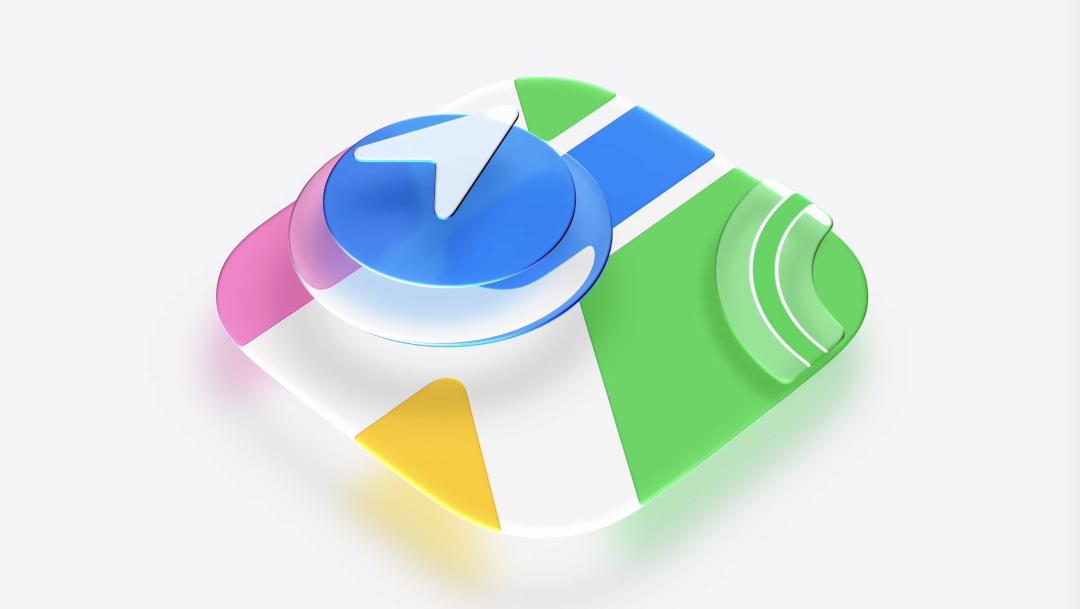
Image | YouTube @Apple
Of course, it’s not entirely accurate to say they are completely renewed.
Compared with iOS 26, the icons in the new version seem to have evolved from “emphasizing glass light and shadow” to “adding glass material”: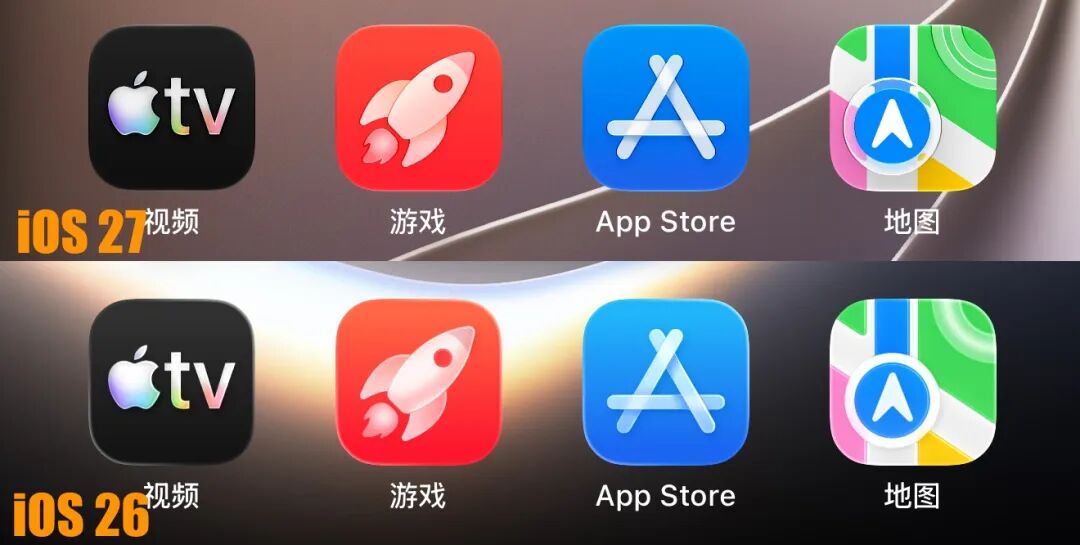
In addition, the overall transparency of iOS 27 has become more controllable.
In iOS 27, the Liquid Glass blur level, which originally had only two adjustable levels, has become a stepless slider, providing a wider range of customization: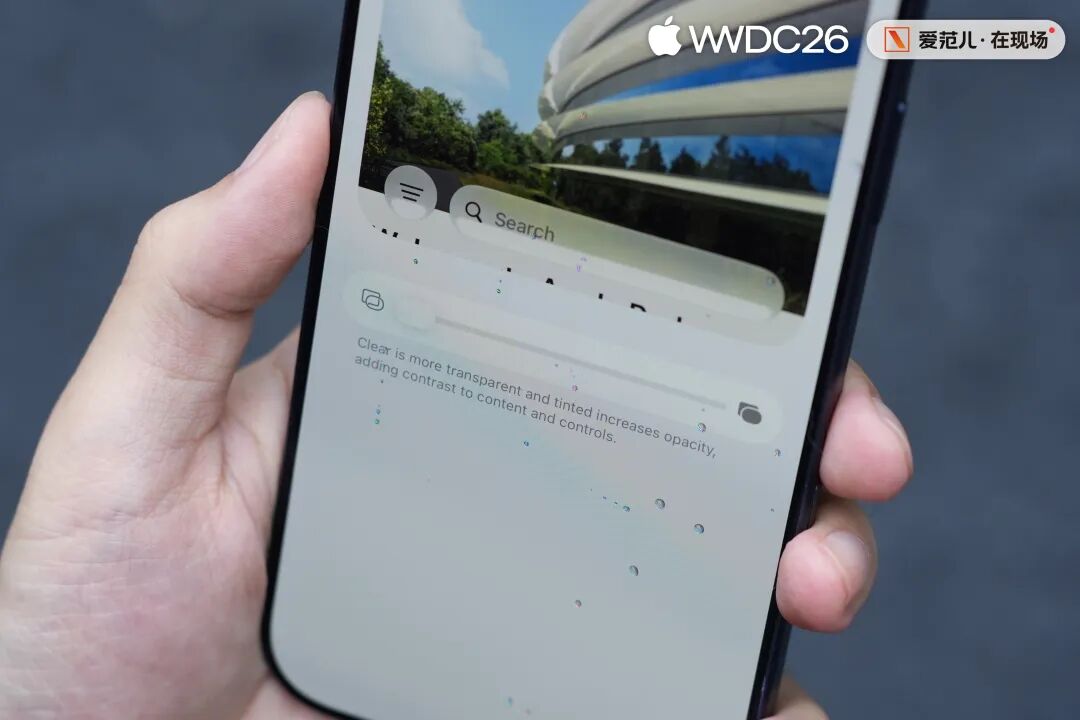
According to the introduction at the event, the device support range of iOS 27 starts from the iPhone 11 released 7 years ago at the lowest.
How the new glass adjustment effect will affect the performance of older processors remains to be seen based on subsequent updates.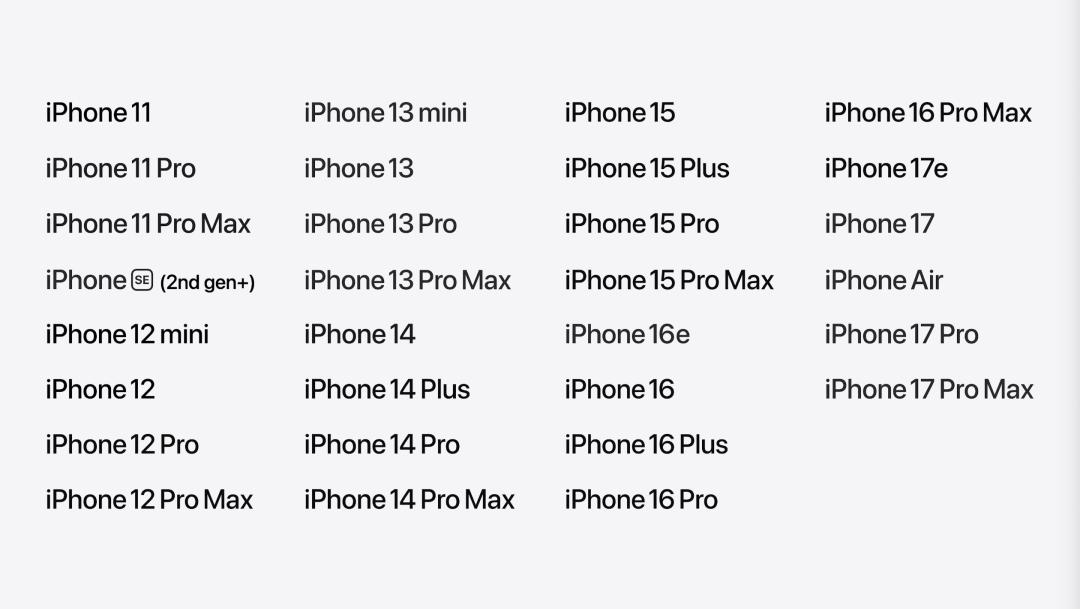
Image | YouTube @Apple
Fortunately, the claimed fluency optimization at WWDC is indeed effective.
iOS 27 is one of the few developer beta versions in recent generations where the frame rate hardly drops after the phone cools down. Its performance on the iPhone Air is also quite stable: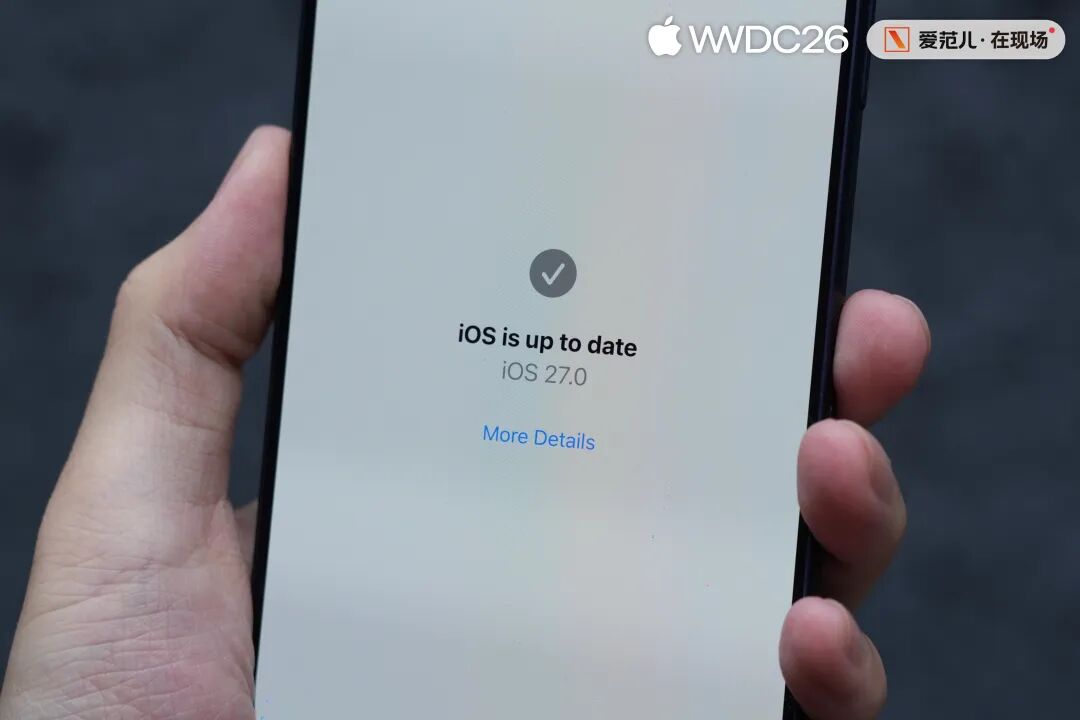
When it comes to functionality, iOS 27 is a very polarized version.
On the one hand, the international version of the iPhone has received a Siri AI update that can be described as “abundant and satisfying”.
Functions such as global search, screen perception, and continuous conversation are fully provided, not to mention the brand – new Siri UI: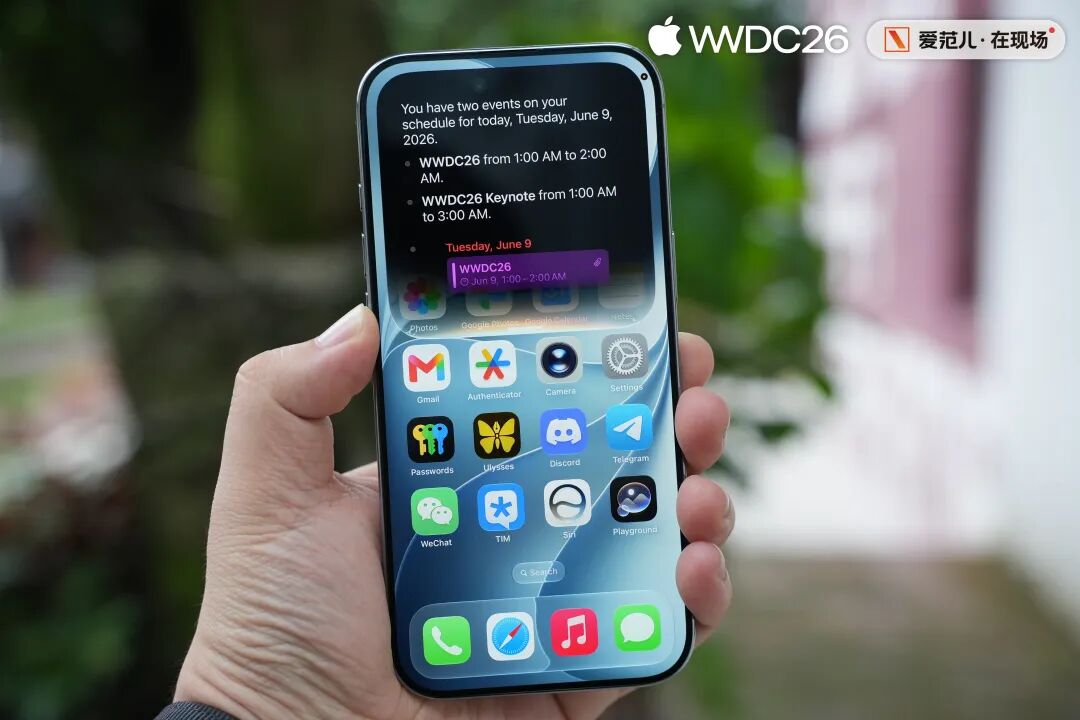
On the other hand, the Chinese – mainland version of the iPhone has received the literally “barest” update in recent years.
Except for new wallpapers, transparency sliders, and holiday alarms, the Chinese – mainland version of iOS 27 has hardly received any Siri updates of practical significance.
In addition, the weather app in iOS 27 has also undergone a card layout change: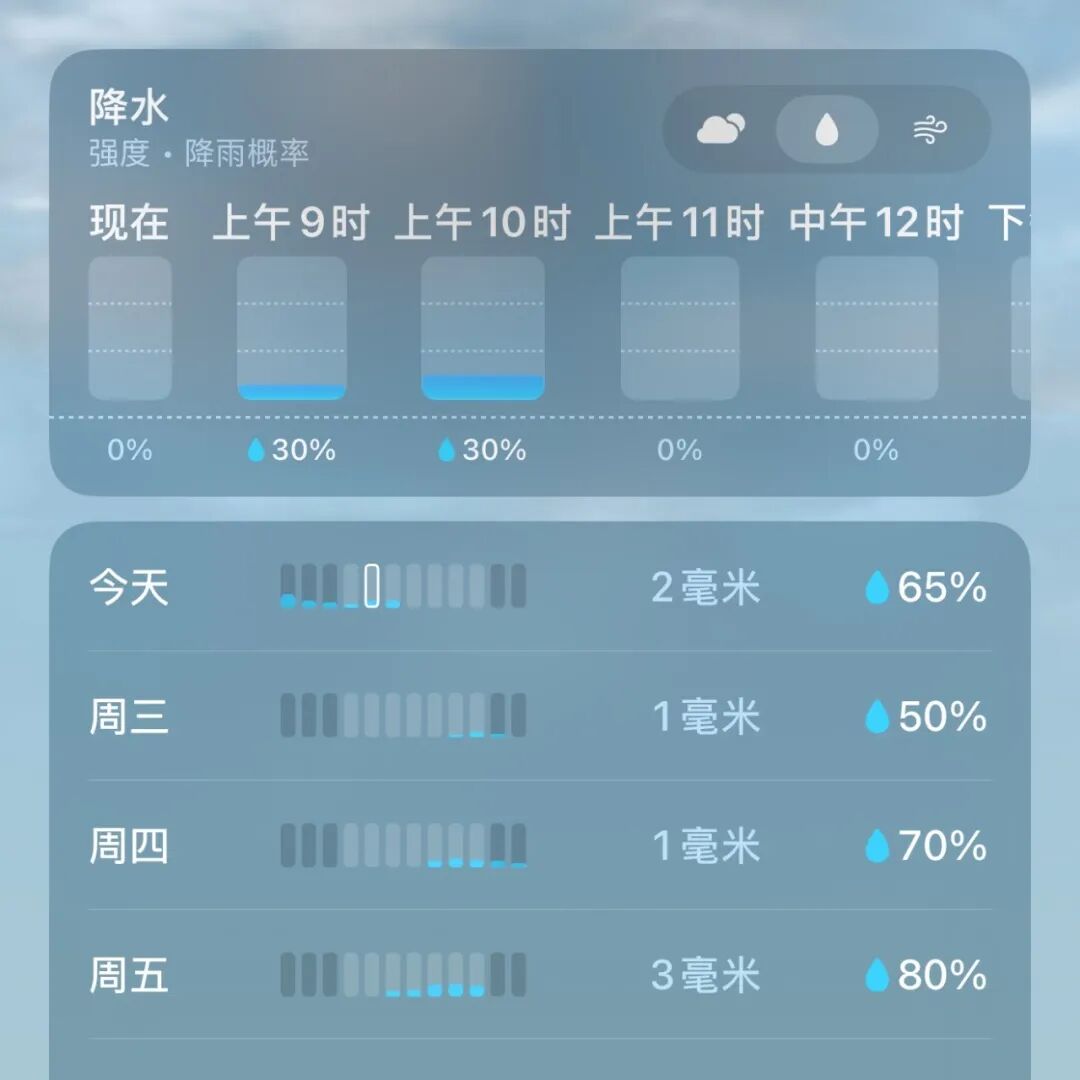
Moreover, in the macOS 27 preview version, we also saw an iPhone mirror that can be freely adjusted in proportion: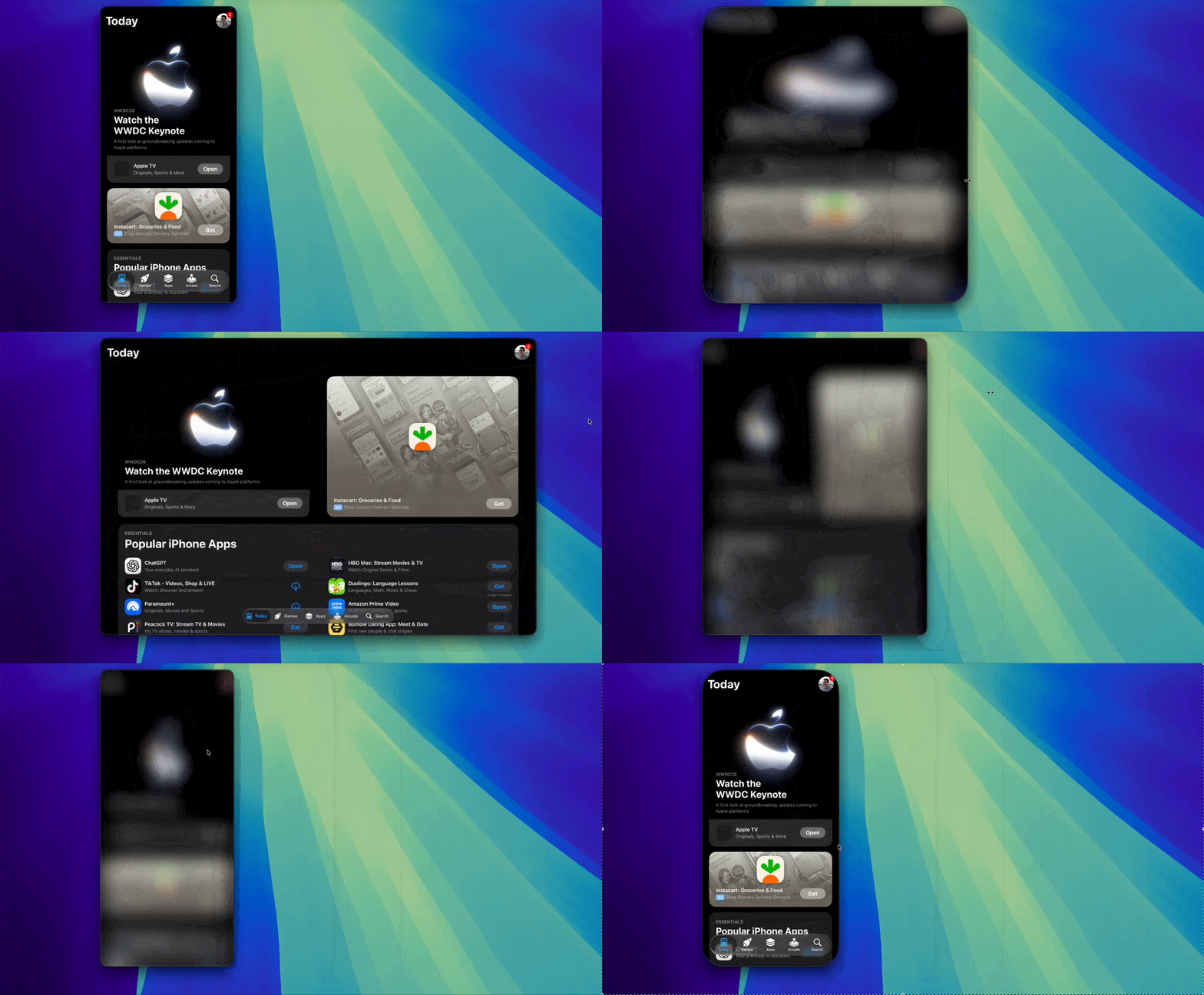
Image | X @aaronp613
It’s obvious who the wide – screen layout is designed for.
In short, if you happen to use an international version of the iPhone and have an international Apple ID, you can enjoy the amazing combination of “swipe down in the middle for Siri, swipe down on the left for notifications, and swipe down again for Siri”.
More importantly, the new version of Siri also has its own app.
Its main interface is very similar to the chat – style AIs we are familiar with, such as Doubao and Qianwen. It can also be switched to a gallery mode similar to “Xiao X Memory”: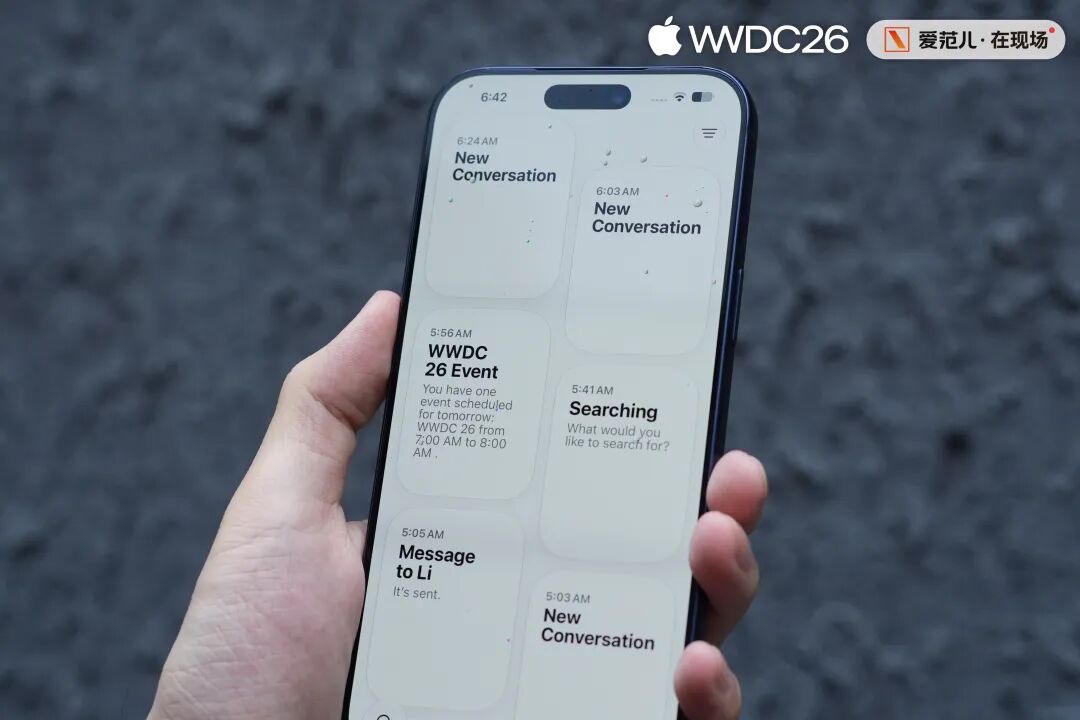
Unfortunately, due to the large number of people trying it out tonight, Apple’s AI servers are not very stable.
This results in a low success rate for some advanced functions of Siri AI (screen recognition, article summarization, multi – modal generation), and connection errors often occur.
However, when it works properly, the on – device instruction processing speed of the new Siri AI is the fastest we’ve ever experienced.
It’s a pity that this speed can only be experienced on the iPhone Air equipped with the A19 Pro and the iPhone 17 Pro series.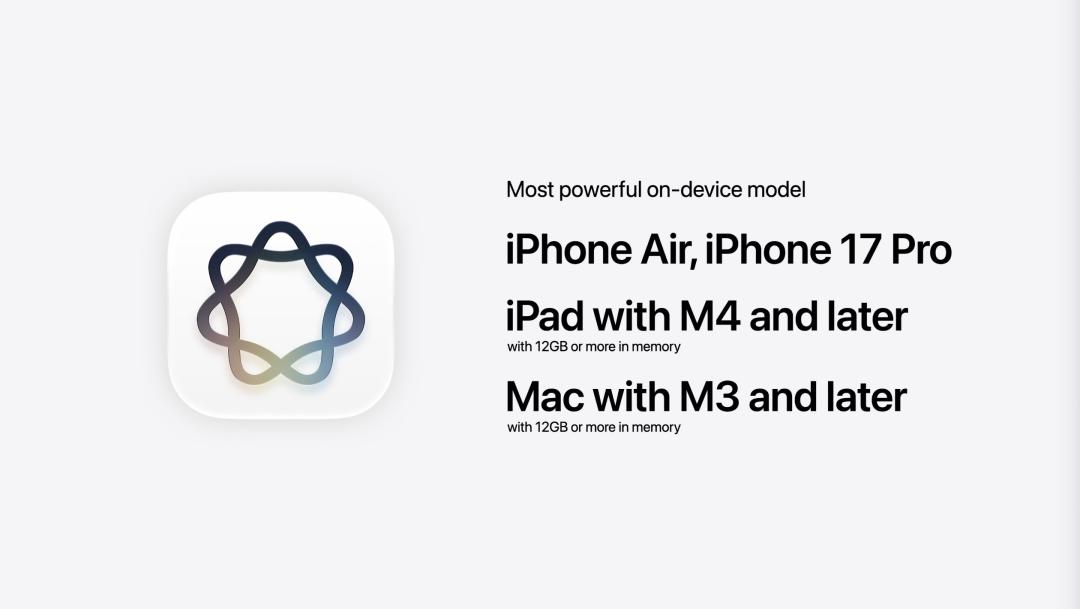
Image | YouTube @Apple
When it comes to the changes in iOS 27, the camera is an app that is worth taking a look at.
Unfortunately, the camera in iOS 27 has not undergone a professional upgrade as some rumors suggested. It has only been slightly modified based on iOS 26.
The secondary menu related to shooting is now stored on the right side of the shutter as a single prominent icon.
The commonly used parameters at the top are now centered, making the visual effect more balanced.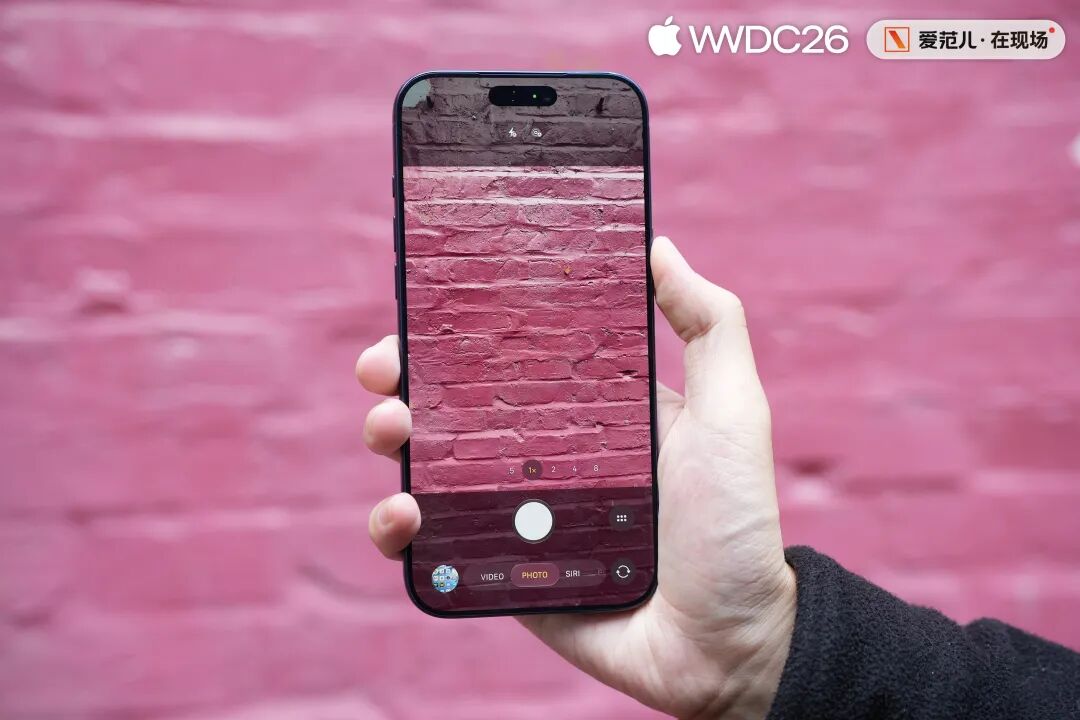
Opinions on the UI design changes vary, but on iOS 27, the UI is just an introduction.
When sliding on the mode bar at the bottom of the camera, we will find a mode named “SIRI” in the system camera.
Switching to the SIRI mode allows us to call AI to recognize, analyze, understand, and search the picture, just like the previous Visual Intelligence.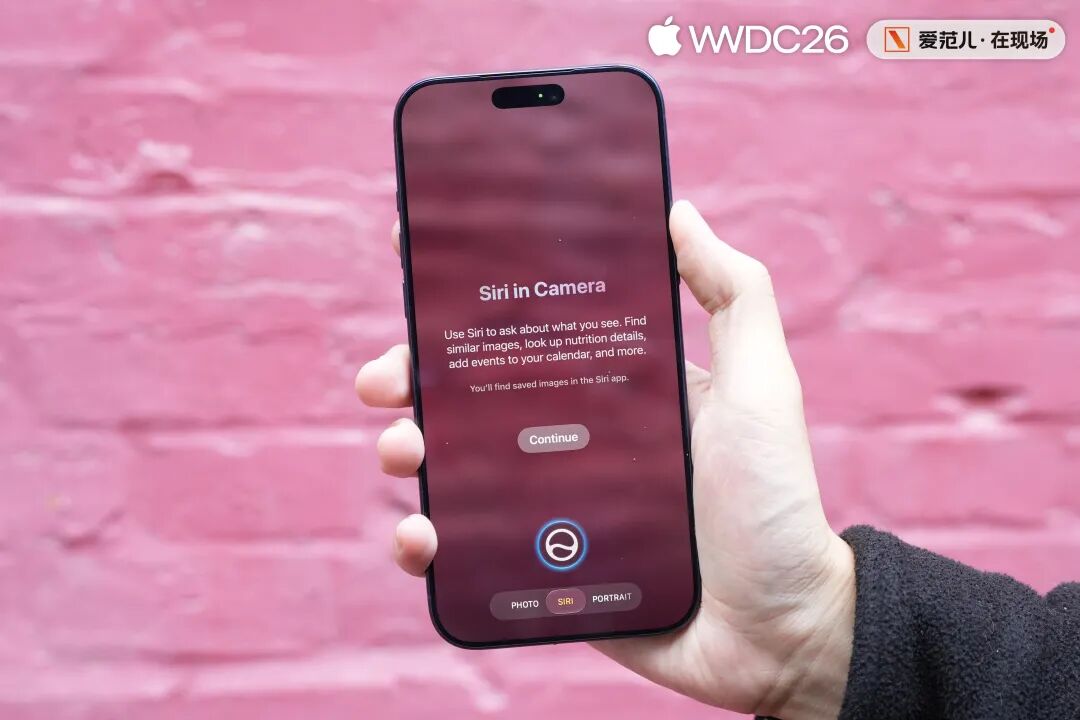
Starting from the camera, there are also many AI – related updates on iOS 27 related to imaging.
The Image Garden released with iOS 26 has received an updated design and can handle more complex generation requests with the help of Private Cloud Compute.
At the same time, in addition to the original cartoon and cute styles, this generation of the Image Garden can finally generate realistic – style images: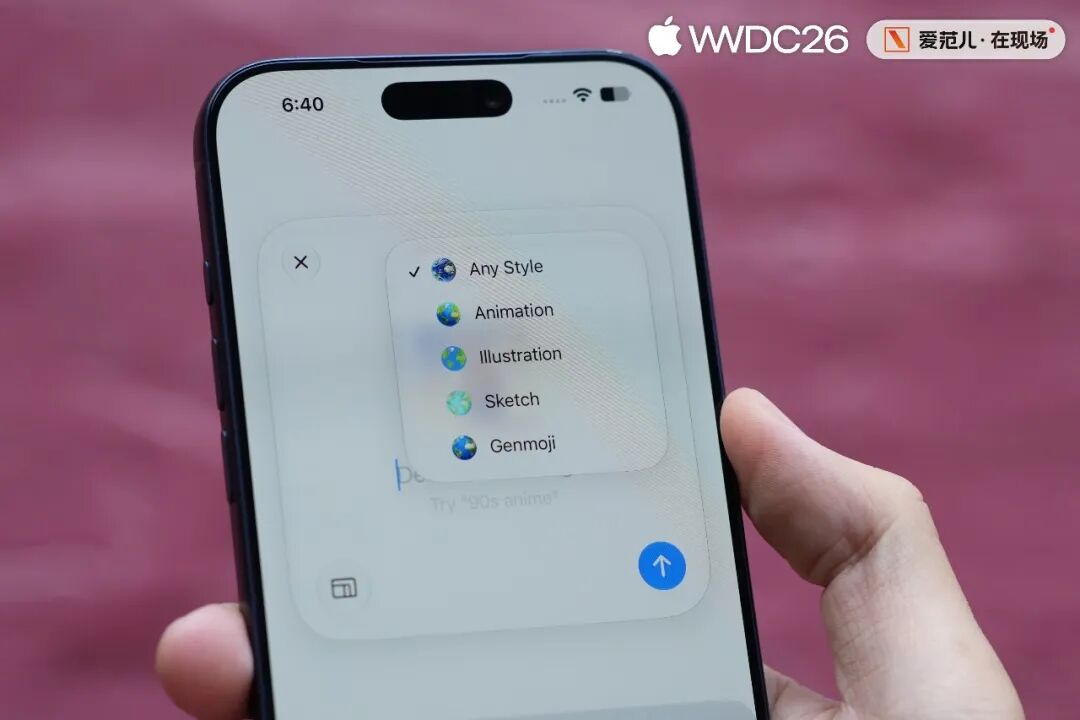
After updating to iOS 27, we tried out the new Image Garden right away. Note that currently, it can only use English to describe the desired picture effect.
We uploaded a real – shot photo and asked the Image Garden to generate a picture with a 1990s film texture, grain, and glare effects.
After waiting for dozens of seconds, the Image Garden gave a result that highly matched the description: the picture style was complete, and the texture was quite realistic.
If you don’t zoom in to look at the details, it’s even difficult to notice obvious flaws at first glance.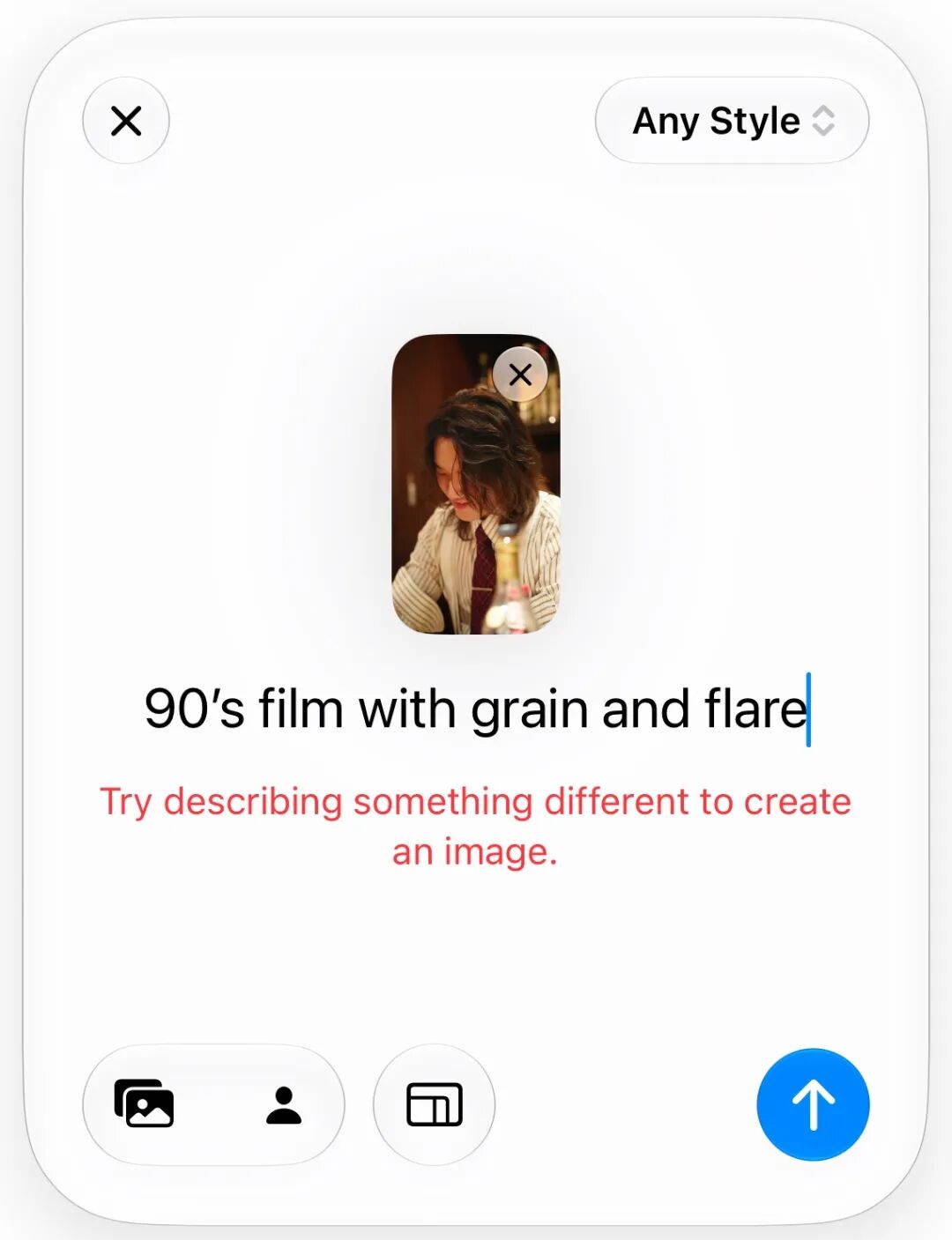
However, due to the problems mentioned above, the Image Garden may occasionally fail to generate an image and report an error.
It is speculated that this is also because there are too many users testing in a short period. The performance of the official version in the future should be smoother.
Another major AI update in imaging is hidden in the photo album. As the first step in adjusting pictures after taking photos, the importance of the photo album goes without saying.
This time, Apple has integrated the upgraded elimination, image expansion, and reconstruction functions into the Apple Intelligence Tools, which are listed in the primary menu alongside functions such as style and cropping: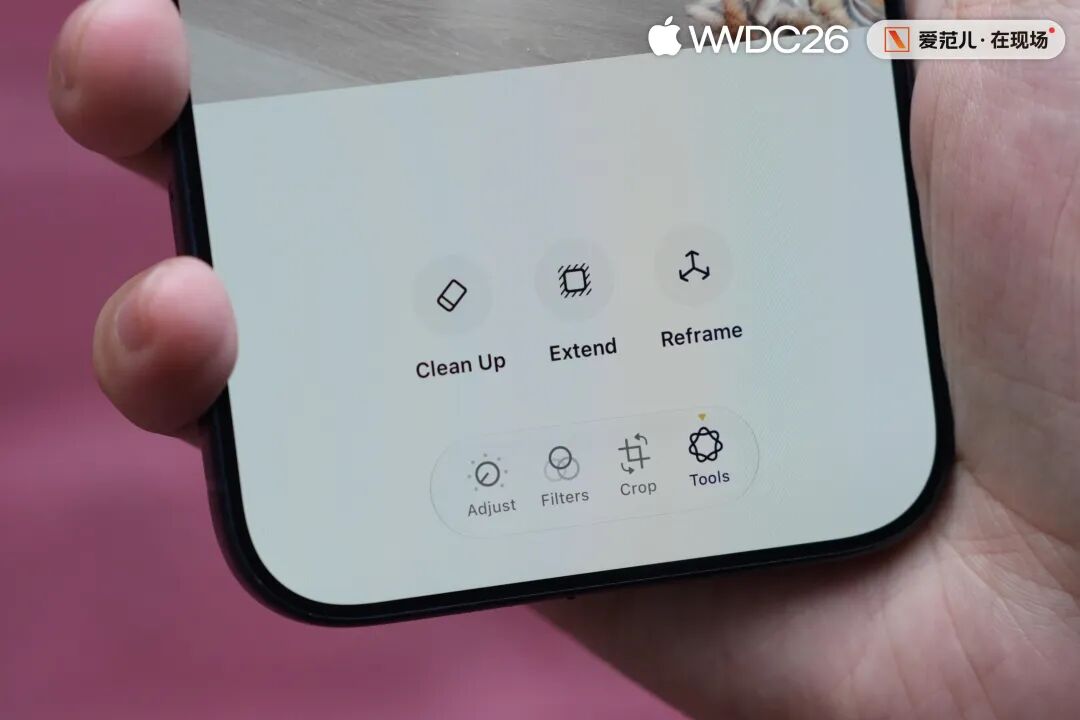
The highlight is still “Reframe”. Apple says it comes from the technology accumulation related to Vision Pro.
In principle, the “Reframe” in iOS 27 is like an advanced version of the 3D photos in iOS 26.
When the system can more clearly distinguish the foreground, subject, and background in the photo, users can drag the perspective and shot size of the picture with their fingers, and the perspective relationship of the photo will also change accordingly.
In actual experience, the Reframe function is divided into two steps.
The first step is the preview. The iPhone will first use the on – device spatial model to understand the photo hierarchy and generate a preview version where the perspective can be quickly dragged.
This step is very fast and can almost respond to finger operations in real – time: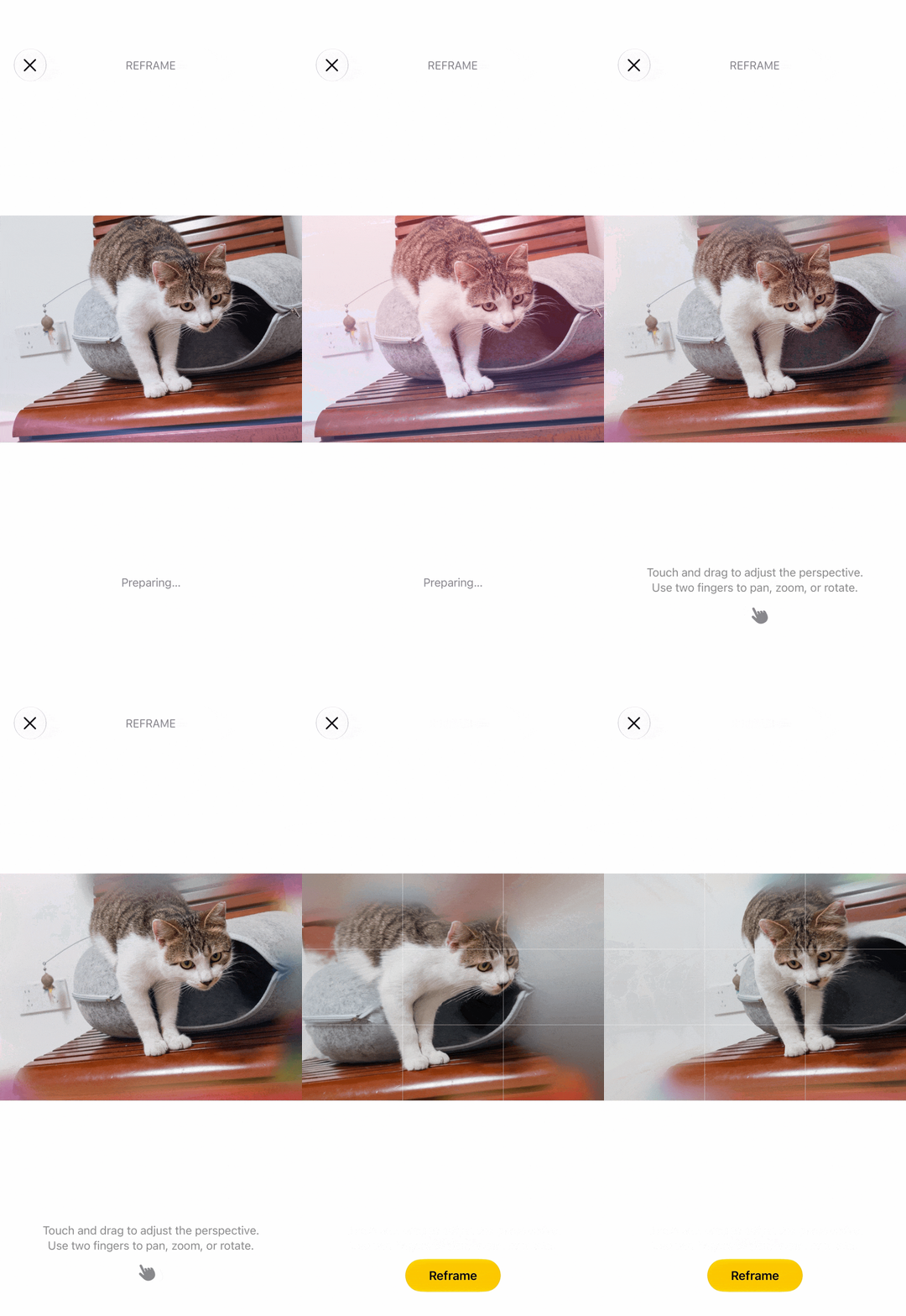
However, the adjustable angle in the preview stage is relatively limited. If the dragging amplitude is a bit large, the subject and background in the picture may occasionally show some funny stretching.
The real generation occurs in the second step. After confirming the perspective, iOS will call the cloud model to fill in the gaps in the picture caused by the perspective change.
Currently, connection failure errors may also occur in this step, but as long as the generation is successful, a quite good new photo can be obtained in about 20 seconds:
Oh, by the way, all the above AI – related imaging functions are temporarily unavailable for the Chinese – mainland version.
It can only be said that after
该文观点仅代表作者本人,36氪平台仅提供信息存储空间服务。
36kr Europe (eu.36kr.com) delivers global business and markets news, data, analysis, and video to the world, dedicated to building value and providing business service for companies’ global expansion.
© 2024 36kr.com. All rights reserved.
Leave a Reply